>
>
OpenClaw

说明
订阅套餐(Token Plan)专属 API Key 仅限在 AI 编程工具中使用,不可用于 API 调试、工作流平台等非交互式场景。Key 与 Base URL 请参见 快速开始 → 接入方式一览。
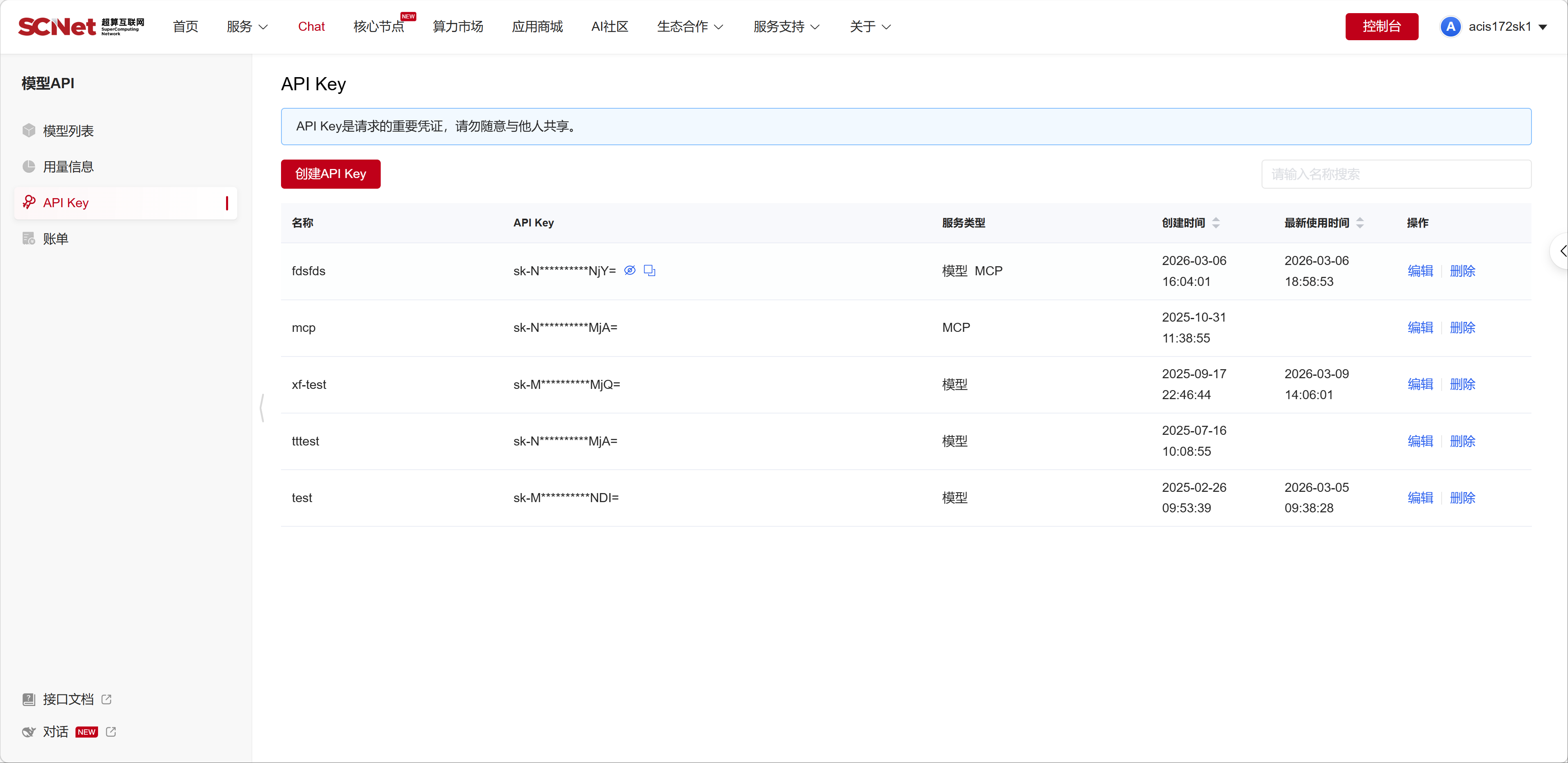
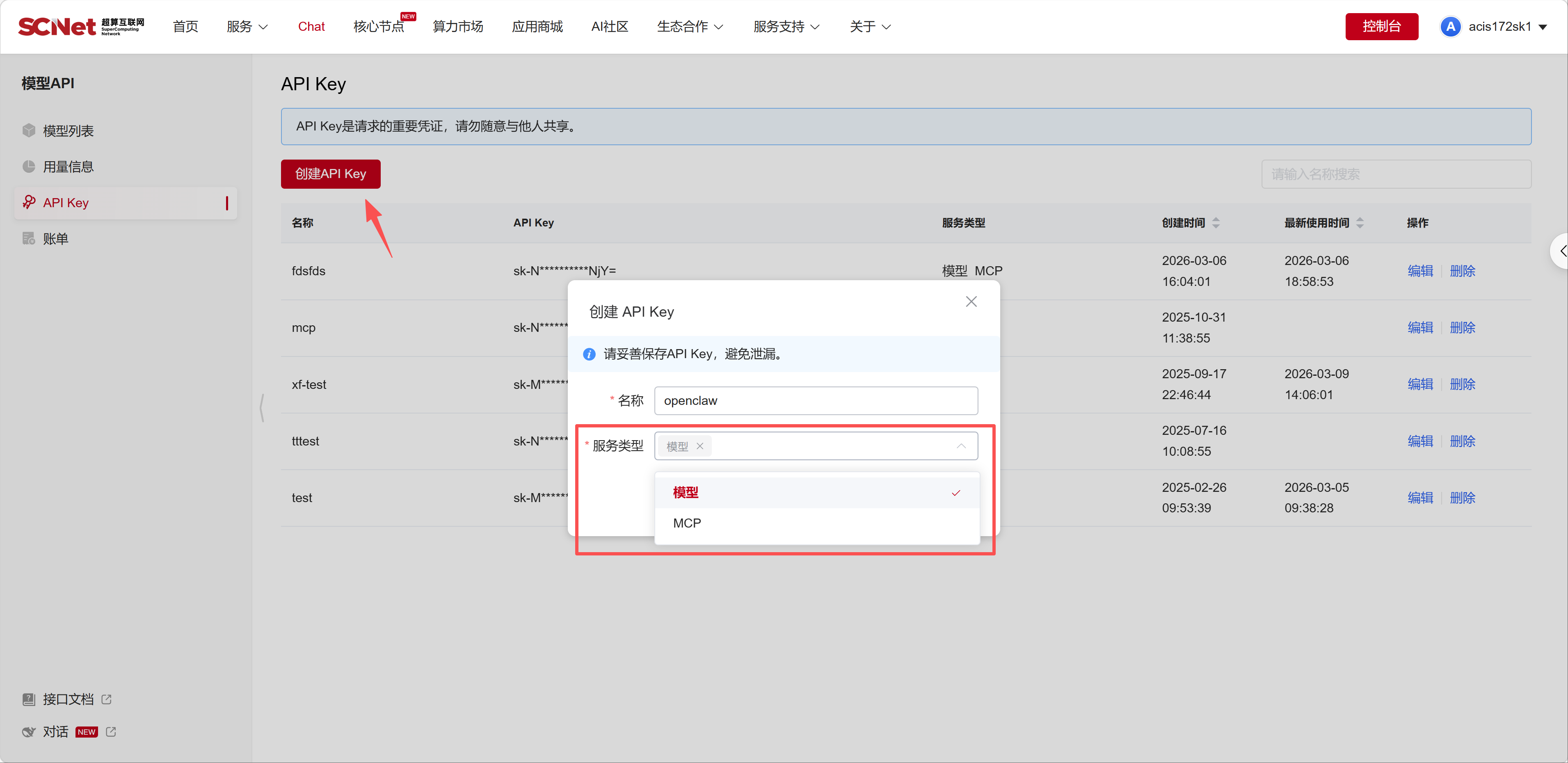
点击复制,并将它们保存到安全的地方(例如记事本)。

可以在 模型列表 查看SCNet平台提供的模型名称。
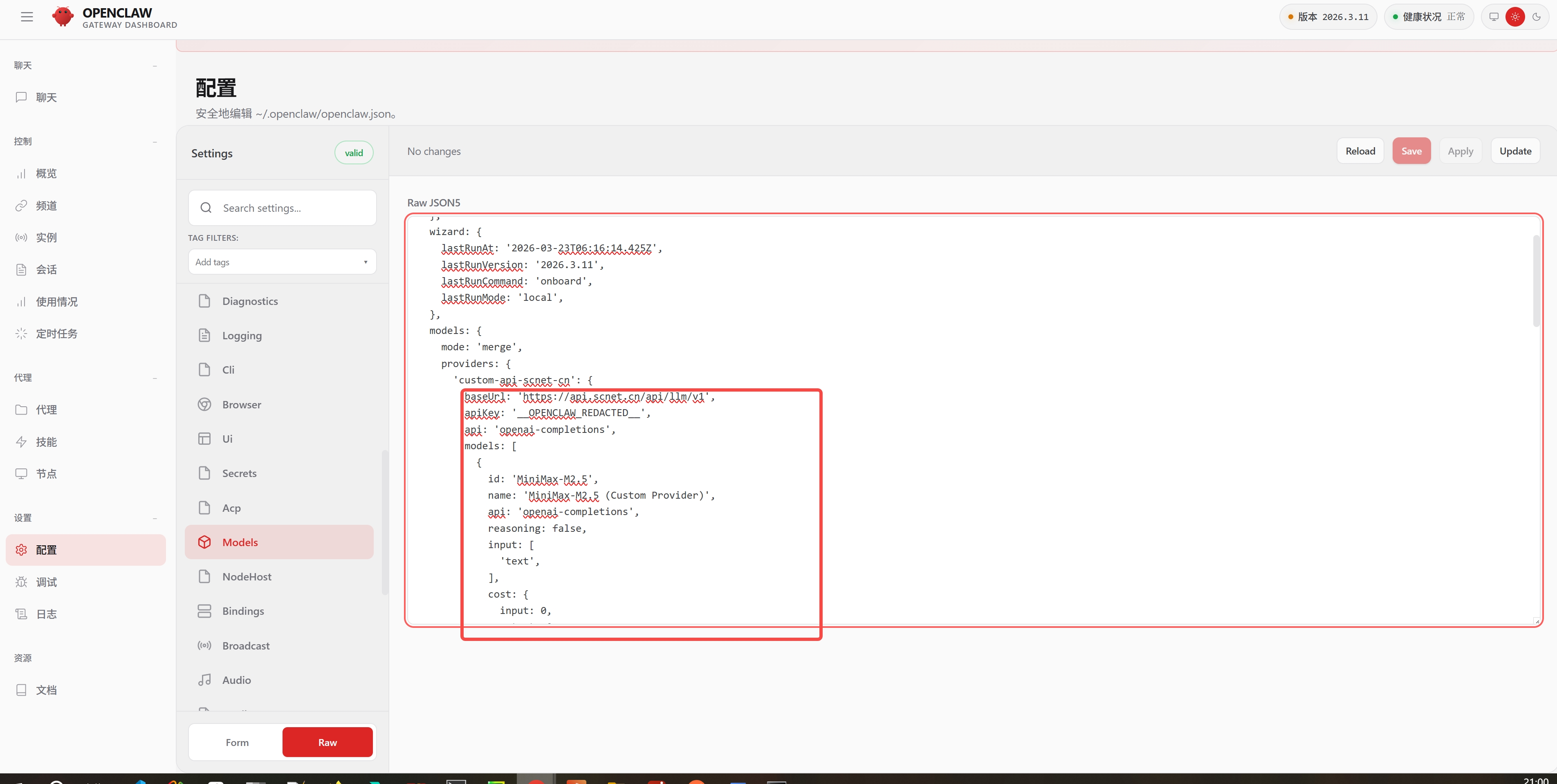
找到以下位置,补充必要的信息,如baseUrl、apiKey、api等。
"models": {
    "mode": "merge",
    "providers": {
      "scnet": {
      "baseUrl": "https://api.scnet.cn/api/llm/v1",
      "apiKey": "您的模型API Key",
      "api": "openai-completions",
      "models": [
        {
            "id": "MiniMax-M2.5",
            "name": "MiniMax-M2.5",
            "reasoning": false,
            "input": ["text"],
            "cost": {
              "input": 0,
              "output": 0,
              "cacheRead": 0,
              "cacheWrite": 0
            },
            "contextWindow": 196608,
            "maxTokens": 8192
        }
      ]
    }
  }
},
以及如下位置,修改primary为相应的模型名称
"agents": {
    "defaults": {
      "model": {
        "primary": "scnet/MiniMax-M2.5"
      },
      "models": {
        "scnet/MiniMax-M2.5": {}
      },
      "workspace": "~/.openclaw/workspace",
      "compaction": {
        "mode": "safeguard"
      },
      "maxConcurrent": 4,
      "subagents": {
        "maxConcurrent": 8
      }
    }
},重要说明:
baseUrl: API 基础地址,不要包含 /chat/completions 路径apiKey: 您的 API 密钥id: 模型 ID,与 API 请求中的 model 字段一致name: 模型名称contextWindow: 上下文窗口大小maxTokens: 最大输出 tokens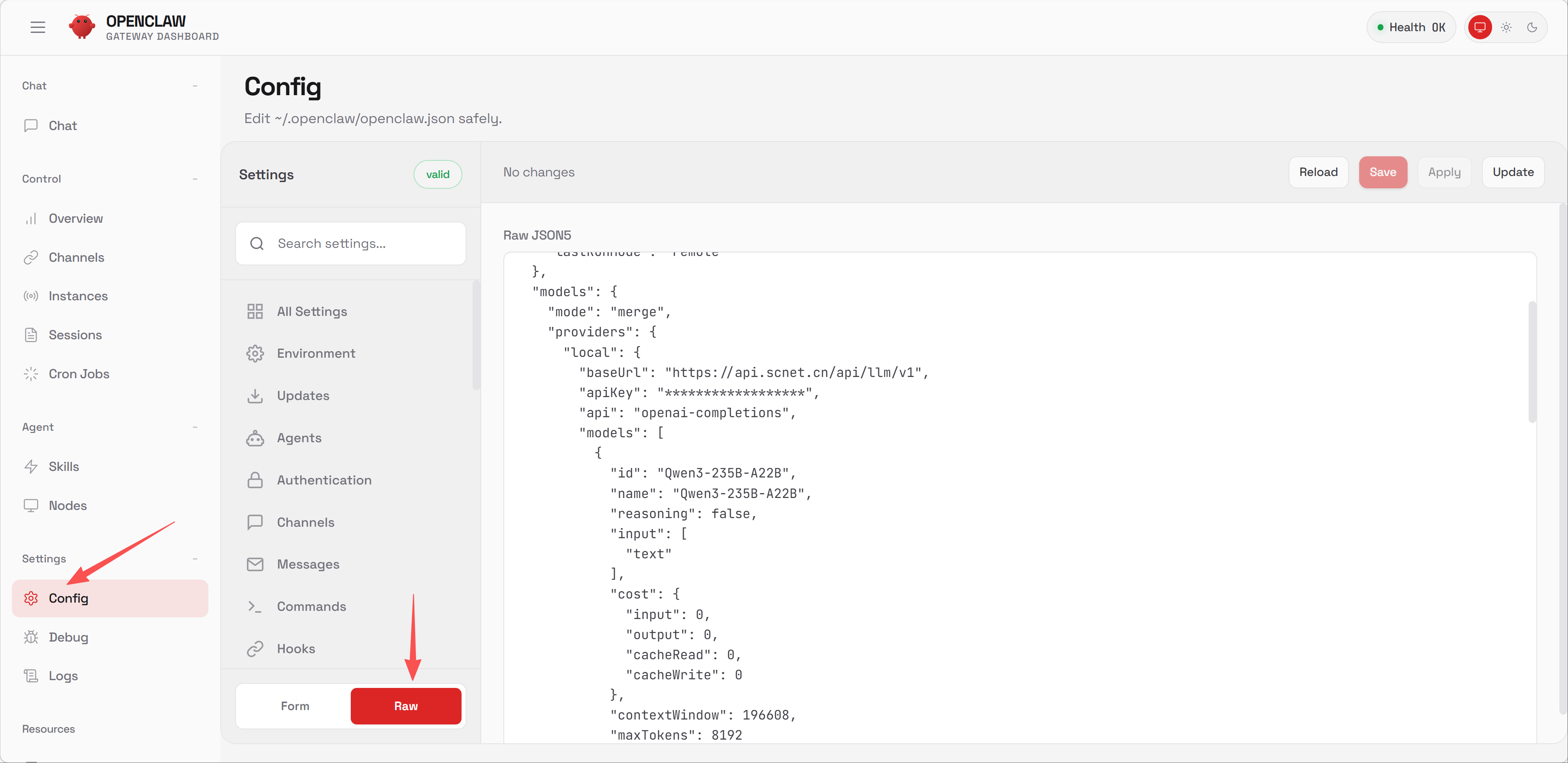
根据2.1步骤中的配置项修改OpenClaw的Config。并依次点击Save、Reload按钮保存配置。
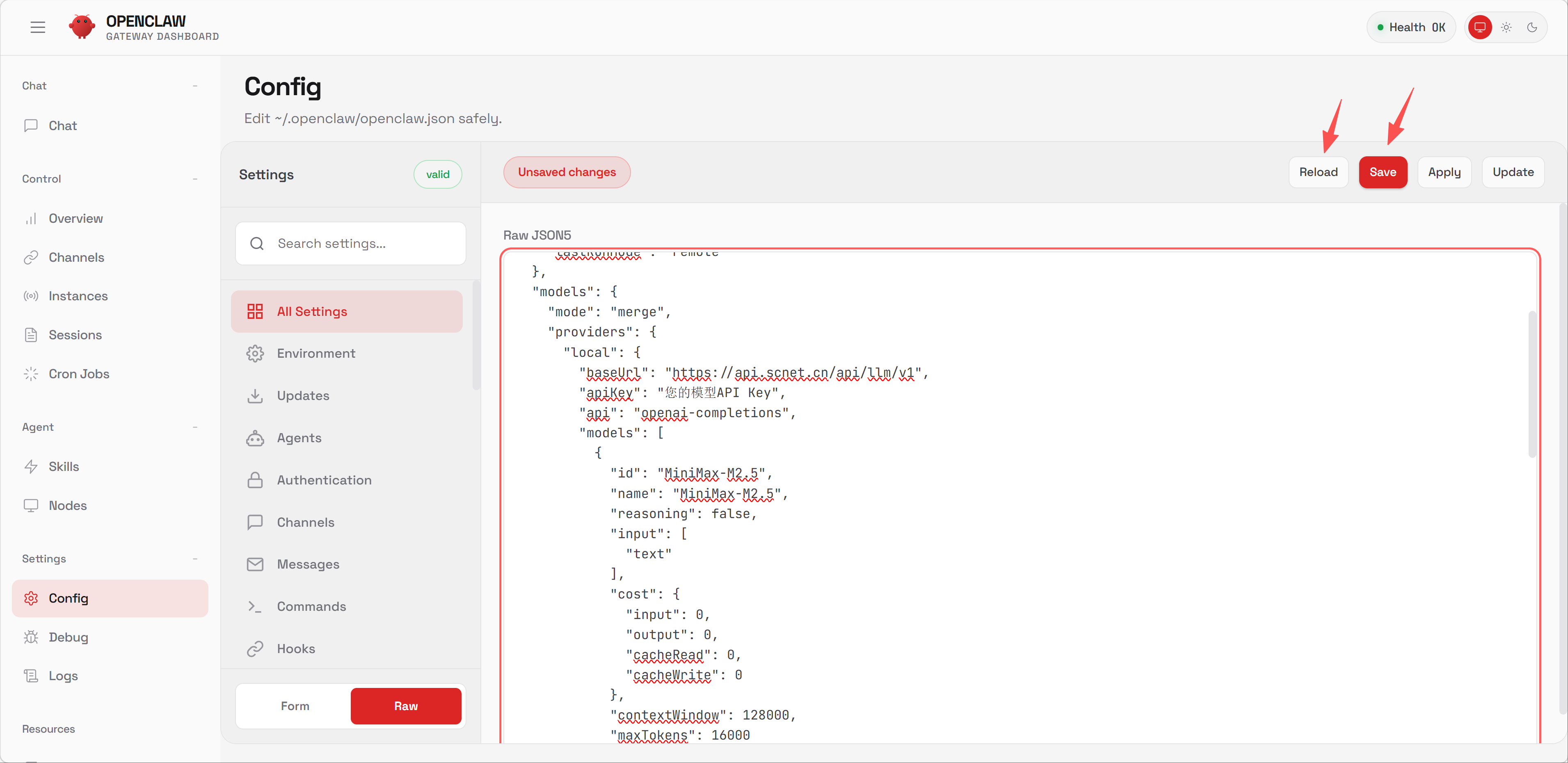
在OpenClaw会话框里输入以下提示词,OpenClaw会自动添加模型:
帮我添加一下模型:
baseUrl: https://api.scnet.cn/api/llm/v1
apiKey: 您的模型API Key
api: openai-completions
模型ID:MiniMax-M2.5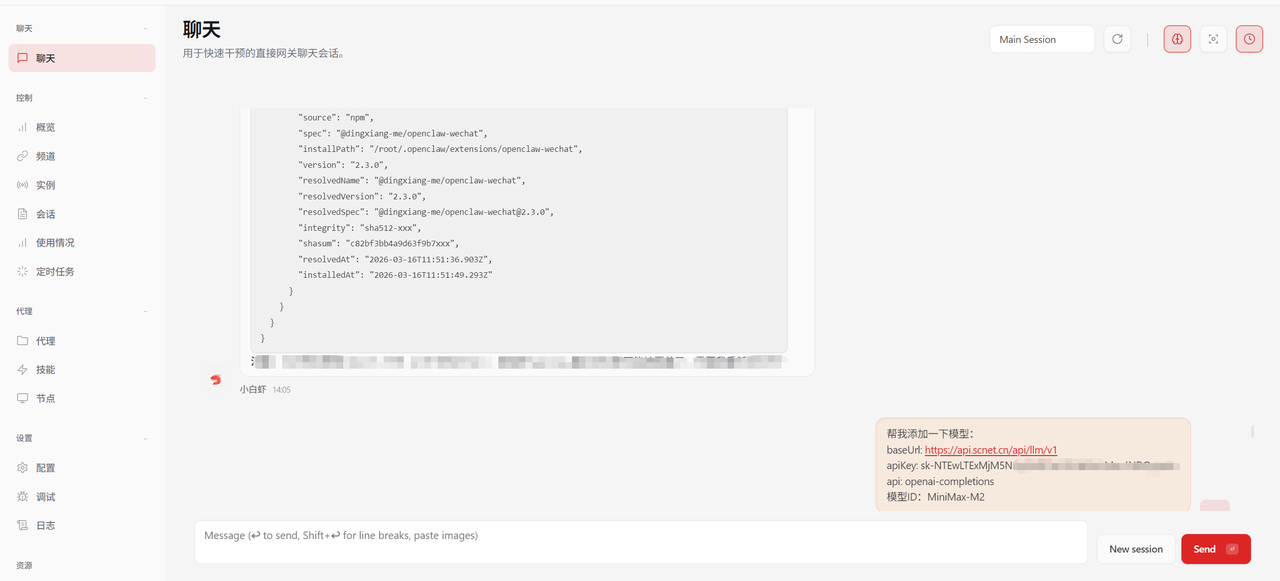
sk-tp-xxxxxxxxhttps://api.scnet.cn/api/llm/v1若使用本地部署的 OpenClaw,可在配置文件中设置模型提供方与模型映射。配置文件通常位于:
~/.openclaw/openclaw.json参考配置如下:
{
  "agents": {
    "defaults": {
      "model": {
        "primary": "scnet/MiniMax-M2.5"
      },
      "models": {
        "scnet/MiniMax-M2.5": {
          "alias": "SCNet MiniMax-M2.5"
        }
      }
    }
  }
}
如需进一步配置提供方、鉴权方式或模型目录,请结合 OpenClaw 当前版本的配置方式补充对应字段。